畫面撕裂救星還是延遲元兇?G-Sync 與垂直同步到底要不要開
在遊戲裡快速轉身,畫面中間突然出現一條「斷層」?為了解決這個問題,你打開了遊戲設定裡的「垂直同步 (V-Sync)」,畫面變完美了,但滑鼠卻變得像在泥巴裡游泳一樣黏手,根本瞄不到人?
這就是讓無數玩家頭痛的世紀難題。今天我們用最簡單的方式,一次搞懂這些「Sync」到底在幹嘛。
1. 為什麼畫面會「撕裂」?
想像你的顯示卡是個瘋狂畫家,螢幕是畫布。如果畫家畫得太快(FPS 很高),螢幕還來不及把第一張圖換下來,畫家就把第二張圖硬塞上去。結果你就會在畫布上看到上半部是第一張圖、下半部是第二張圖的詭異景象,這就是「畫面撕裂」。
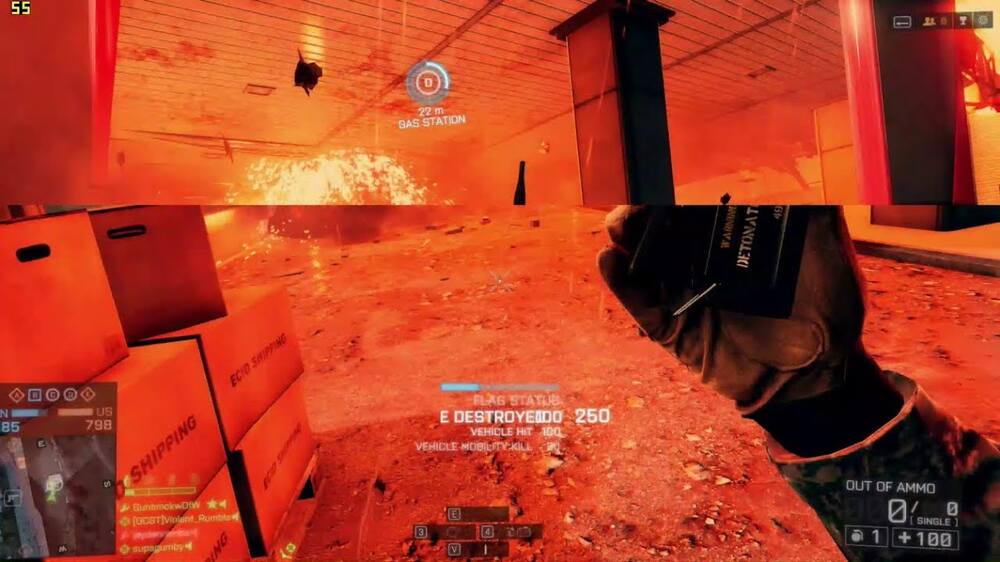
2. 垂直同步 (V-Sync):古老且暴力的解法
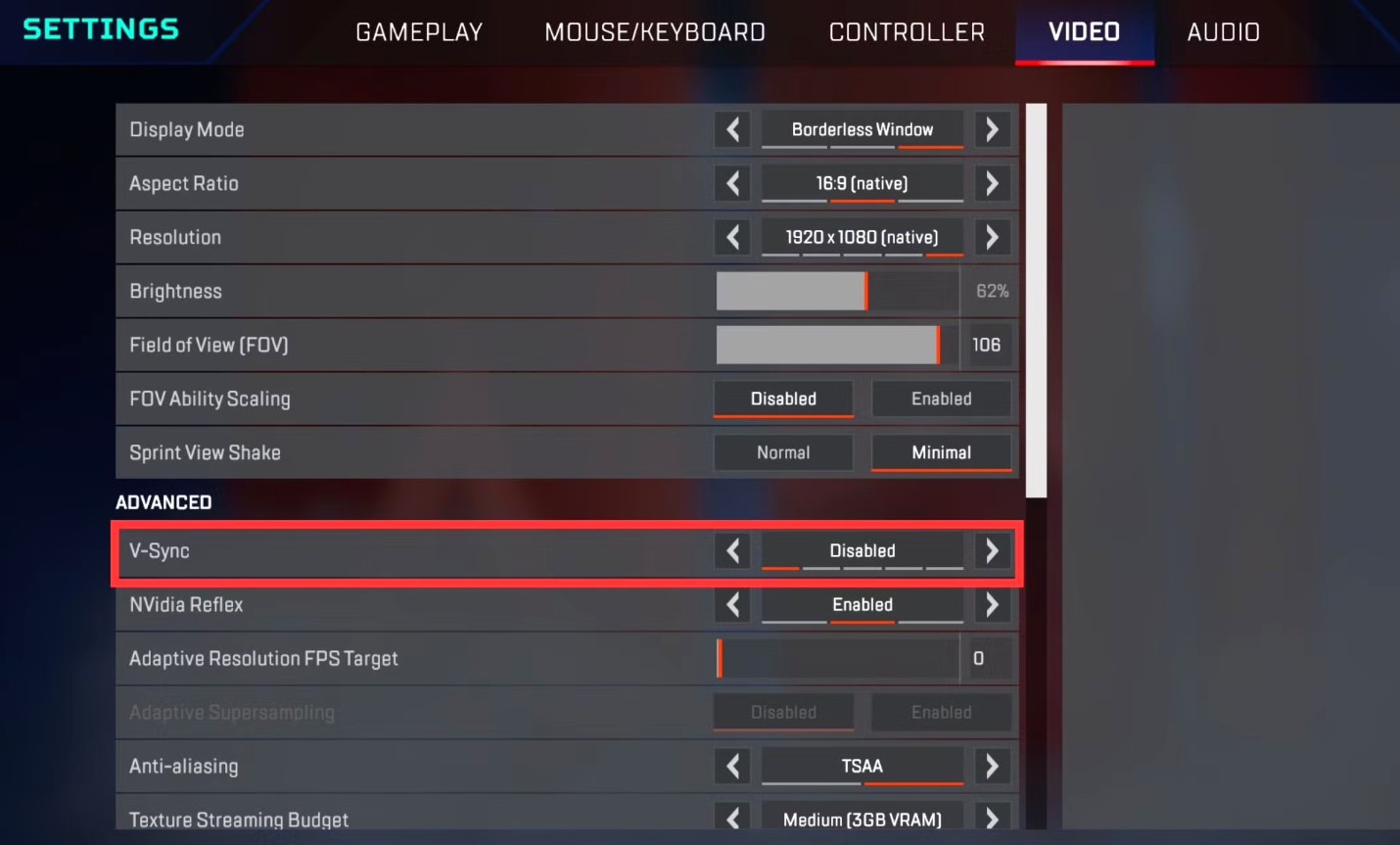
V-Sync 的做法很簡單:直接把顯卡的脖子掐住。它強制顯卡必須等螢幕把整張圖顯示完,才能交下一張圖。
- 優點: 畫面絕對不會撕裂。
- 致命傷 (輸入延遲): 因為顯卡在「等」,你按下開槍的瞬間,顯卡雖然處理好了,但必須排隊等螢幕更新才顯示出來。這微小的時間差,在競技遊戲裡就是生與死的距離。
3. G-Sync / FreeSync:聰明的現代魔法
後來 NVIDIA 和 AMD 發明了聰明的方法。與其讓顯卡等螢幕,不如讓螢幕去配合顯卡! 顯卡畫多快,螢幕的刷新率就跟著變多快(這叫動態刷新率 VRR)。
這完美解決了撕裂問題,而且「幾乎」不會增加延遲。
💡 結論:到底要不要開?
打競技遊戲 (CS2、特戰英豪): 建議全部關閉,追求最低延遲。如果有支援,可以開啟 NVIDIA Reflex 來降延遲。
打 3A 單機大作 (黑神話、巫師): 享受風景最重要。打開 G-Sync/FreeSync,讓畫面滑順無比吧!
Screen Tearing Savior or Lag Generator? G-Sync & V-Sync Explained
You flick your mouse in-game, and suddenly the middle of your screen "splits" horizontally? To fix it, you turn on "V-Sync" in the settings. The screen looks perfect now, but your mouse feels like it's dragging through mud. You can't aim anymore.
This is the classic dilemma. Let's break down what all these "Sync" settings actually do in plain English.
1. Why Does the Screen "Tear"?
Imagine your GPU is a hyperactive painter and your monitor is the canvas. If the painter works too fast (very high FPS), before the monitor can finish displaying frame 1, the GPU shoves frame 2 onto the canvas. The result? The top half is frame 1, the bottom half is frame 2. That's "Screen Tearing."
2. V-Sync: The Ancient, Brute-Force Fix
V-Sync puts a leash on your GPU. It forces the graphics card to wait until the monitor finishes drawing the current frame before sending the next one.
- Pro: Zero screen tearing.
- The Fatal Flaw (Input Lag): Because the GPU is "waiting", when you click to shoot, the action is delayed in a queue before showing up on screen. In competitive games, this tiny delay gets you killed.
3. G-Sync / FreeSync: Modern Magic
NVIDIA and AMD eventually found a smarter way. Instead of making the GPU wait, make the monitor adjust to the GPU! If the GPU outputs 90 FPS, the monitor instantly shifts to 90Hz (Variable Refresh Rate).
This completely eliminates tearing with virtually zero added input lag.
💡 Verdict: Should You Turn It On?
Competitive FPS (CS2, Valorant): Turn everything OFF for the lowest possible latency. Use NVIDIA Reflex if available.
AAA Story Games (Witcher, Cyberpunk): Immersion is key. Turn ON G-Sync/FreeSync for buttery smooth visuals without tearing!
Is your monitor maxed out?
After adjusting your sync settings, check if your monitor is hitting its peak refresh rate without severe ghosting.
Run UFO Test